Why I built it
Who said that?
A transcript is hard to use if you can't tell who said what. I wanted one split by voice, without sending my recordings anywhere.
Nils


Record a meeting, interview or podcast and get a transcript split by speaker. It remembers voices and finds any moment, entirely on your device.
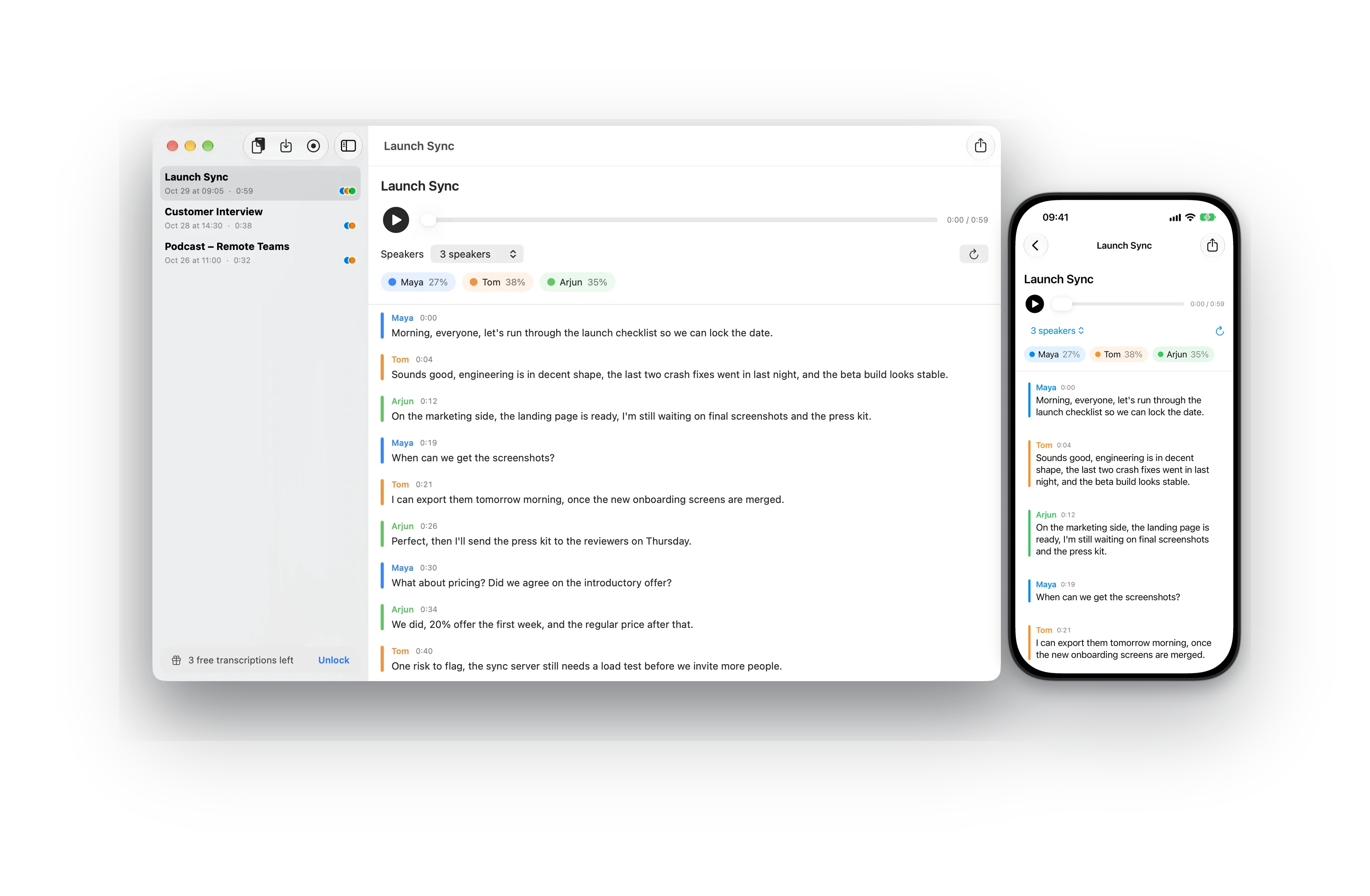
Why it's different
It groups what each person said by how they sound, not by guessing from context.
Transcription, voice recognition and search run on your device. Recordings and saved voices are never uploaded.
After a one-time download of the speech models, no internet needed.
Name a speaker once, and MultiVoice recognizes their voice in your next recordings. It suggests the name, shown as "Maya?", until you confirm it, so a wrong guess never ends up in your transcript. Every confirmation helps it recognize them better. See and forget saved voices anytime under Known Voices.
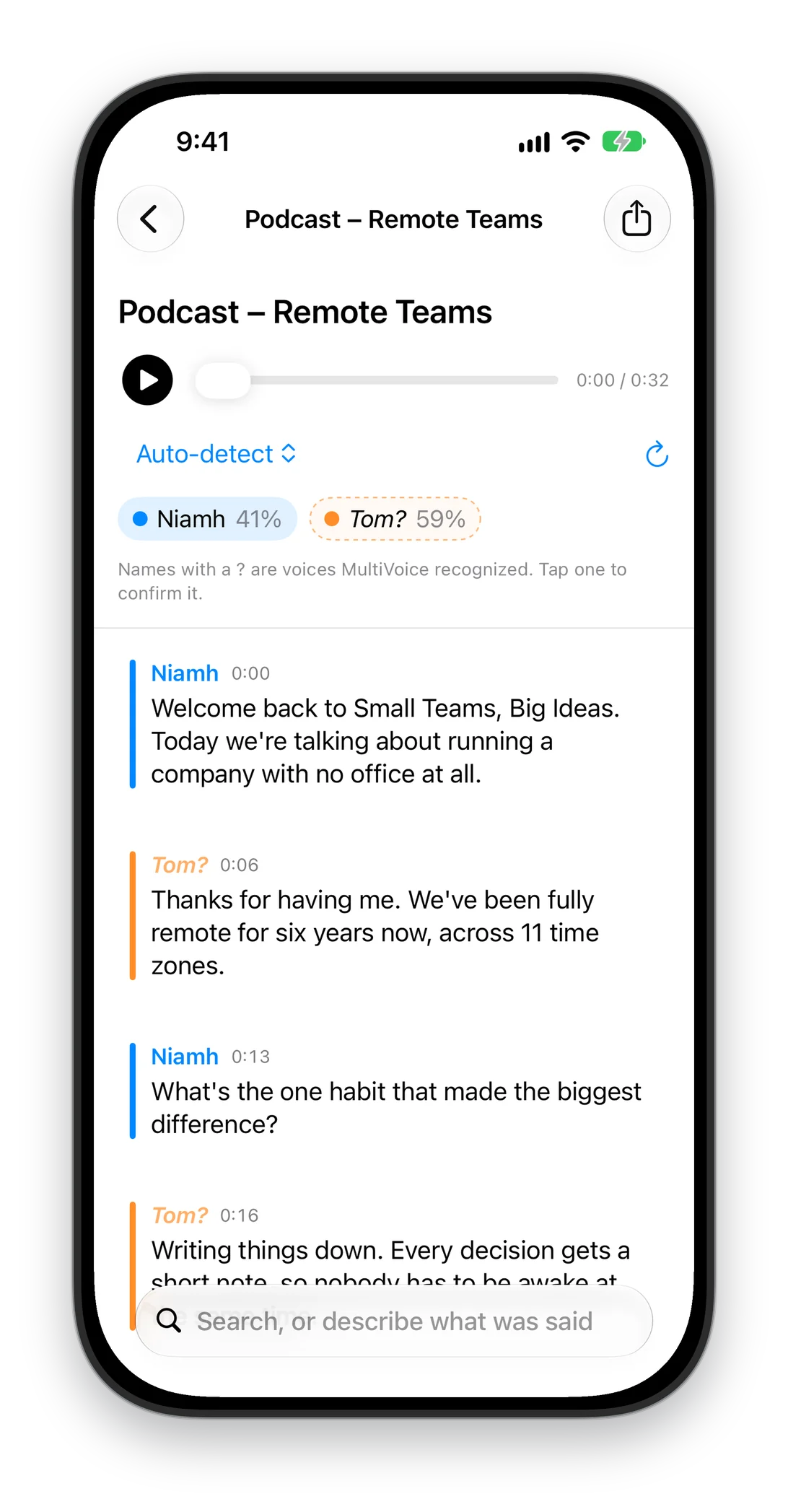
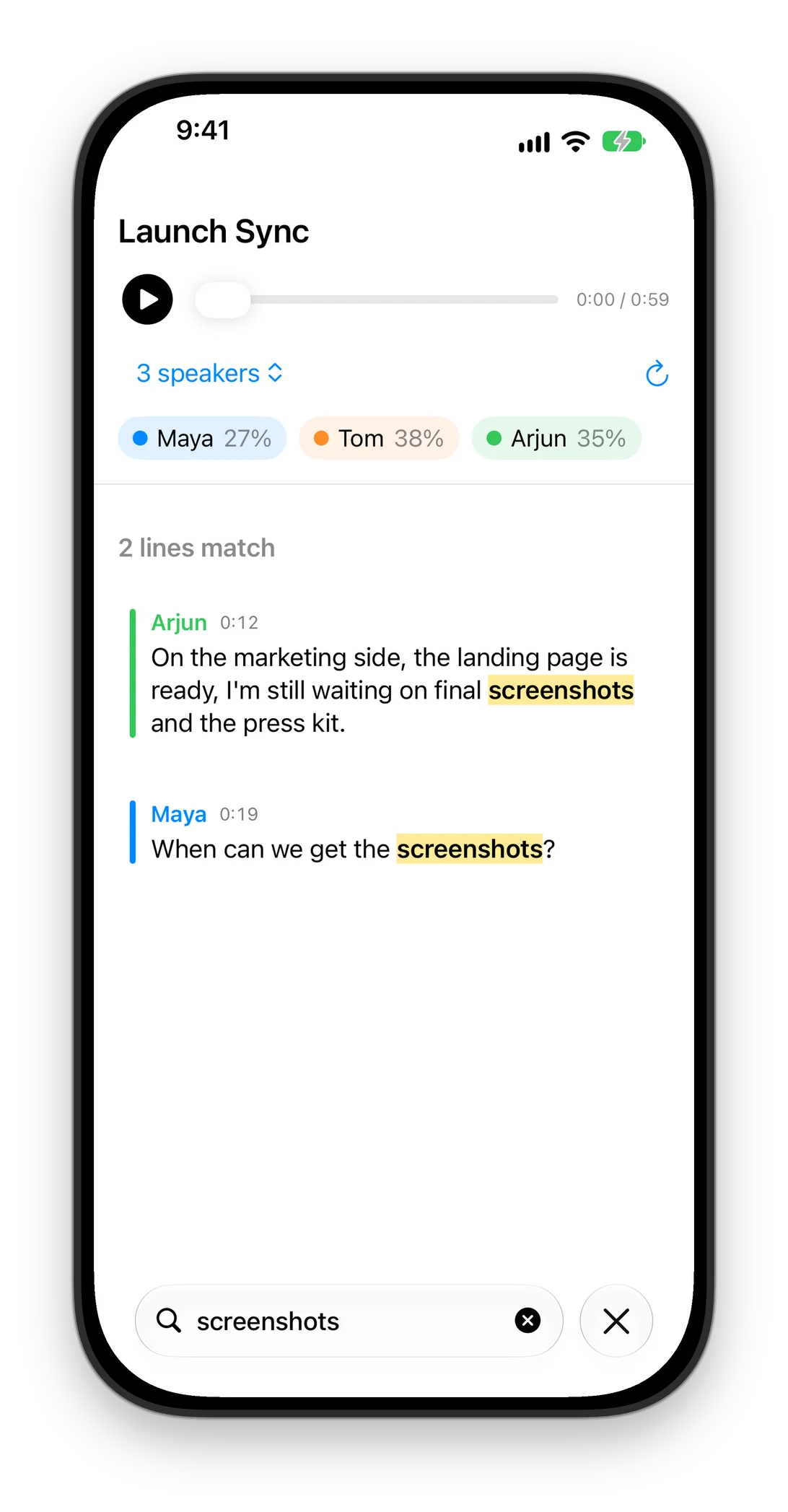
Search every word of a transcript. Matches are highlighted, and one tap plays the moment it was said. With Apple Intelligence, search also finds names the transcript spelled differently.
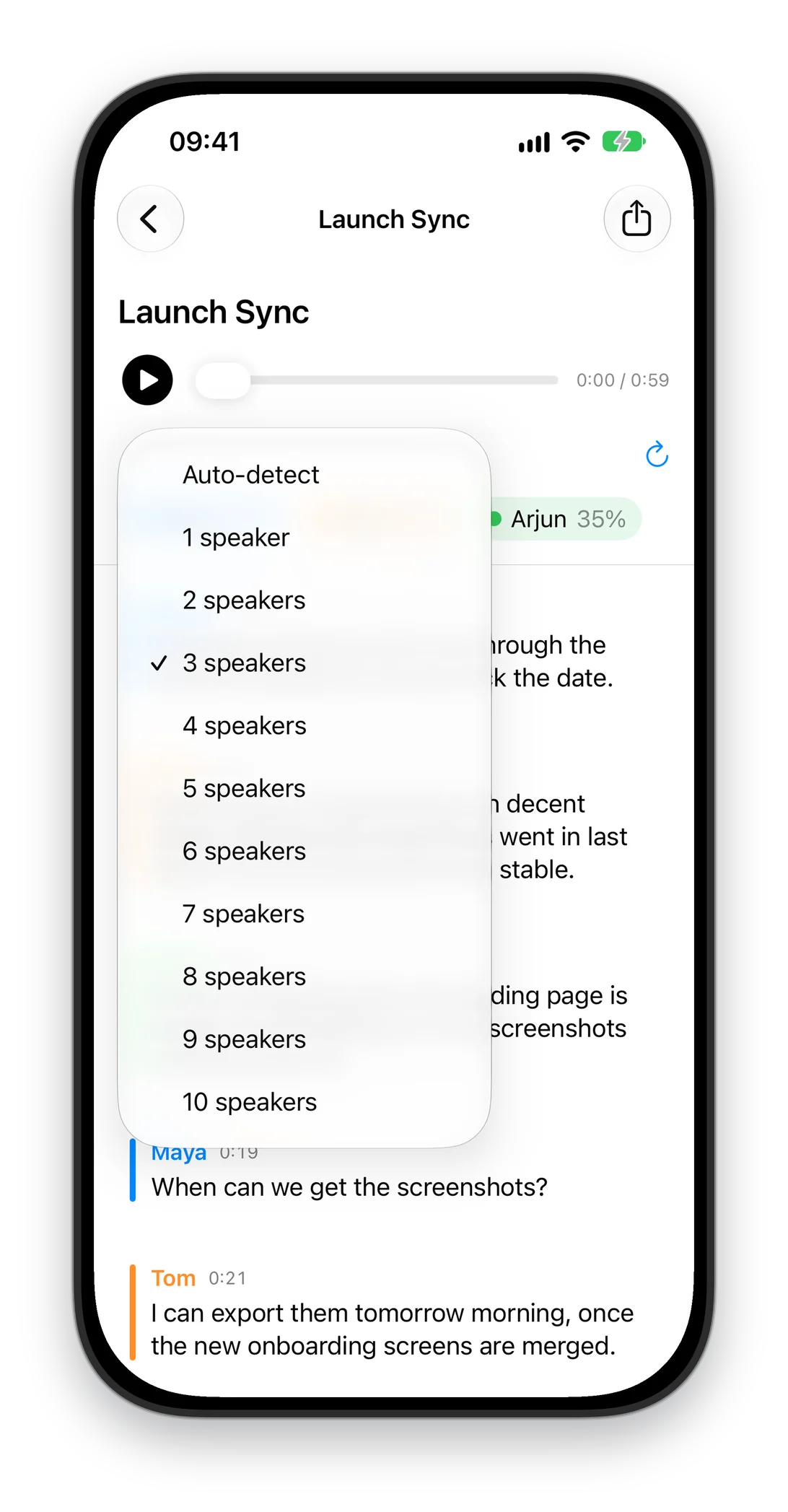
It counts the speakers for you. Know the number? Set it and the transcript re-sorts instantly.
Every line plays from that moment, so you can check what was said.
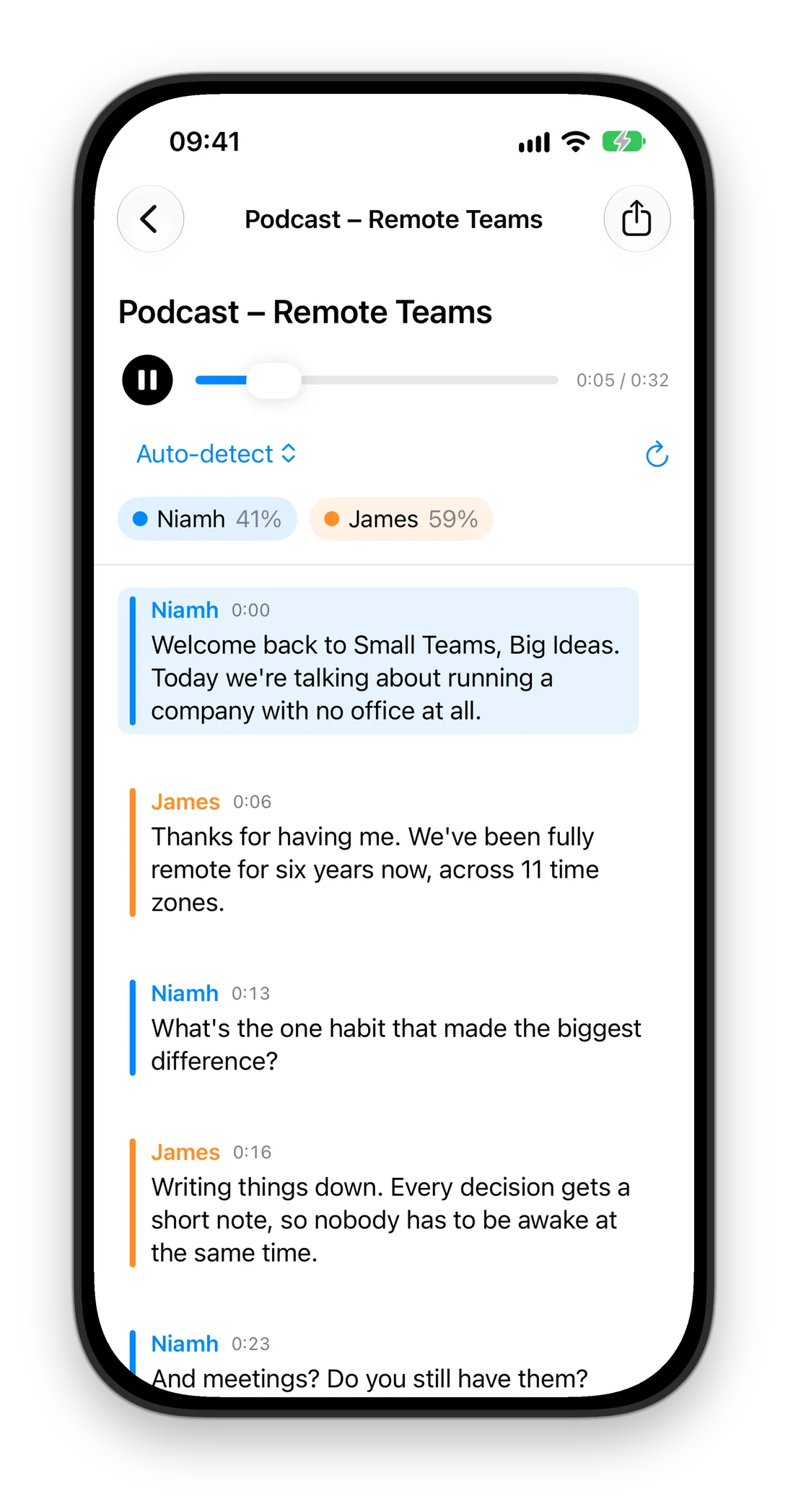
Record in the app in compact files the size of a voice memo. Share a recording from Voice Memos or Files straight to MultiVoice, import audio, or paste a recording copied from Notes.
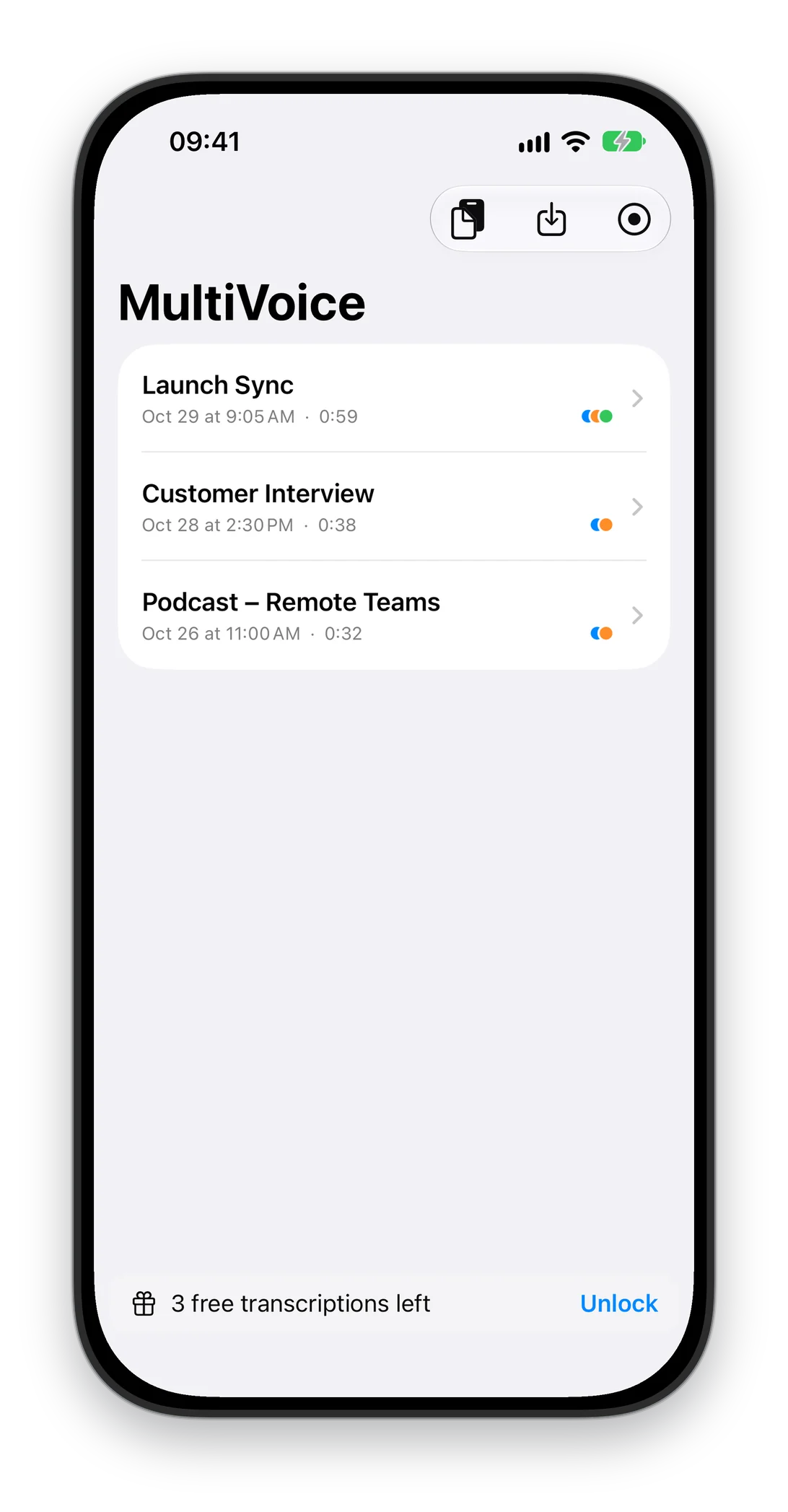
Capture your Mac's audio, your microphone, or both.
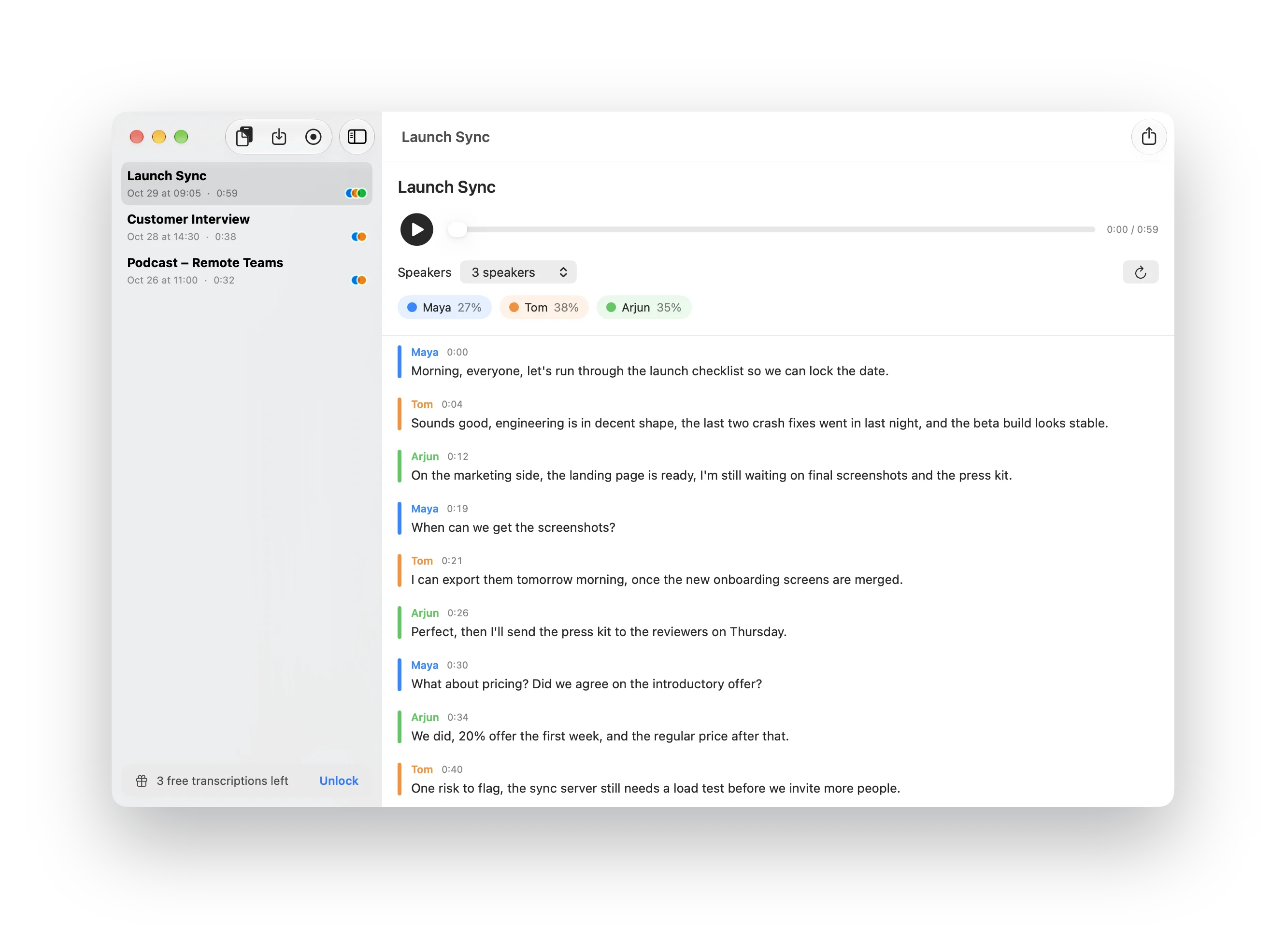
Rename speakers, see how much each person spoke, and share the transcript with timestamps.
English, French, German, Spanish, Italian, Portuguese, Dutch and more European languages.
Your first 3 transcriptions are free. Then unlock unlimited with a one-time purchase.
Made for iPhone Duo
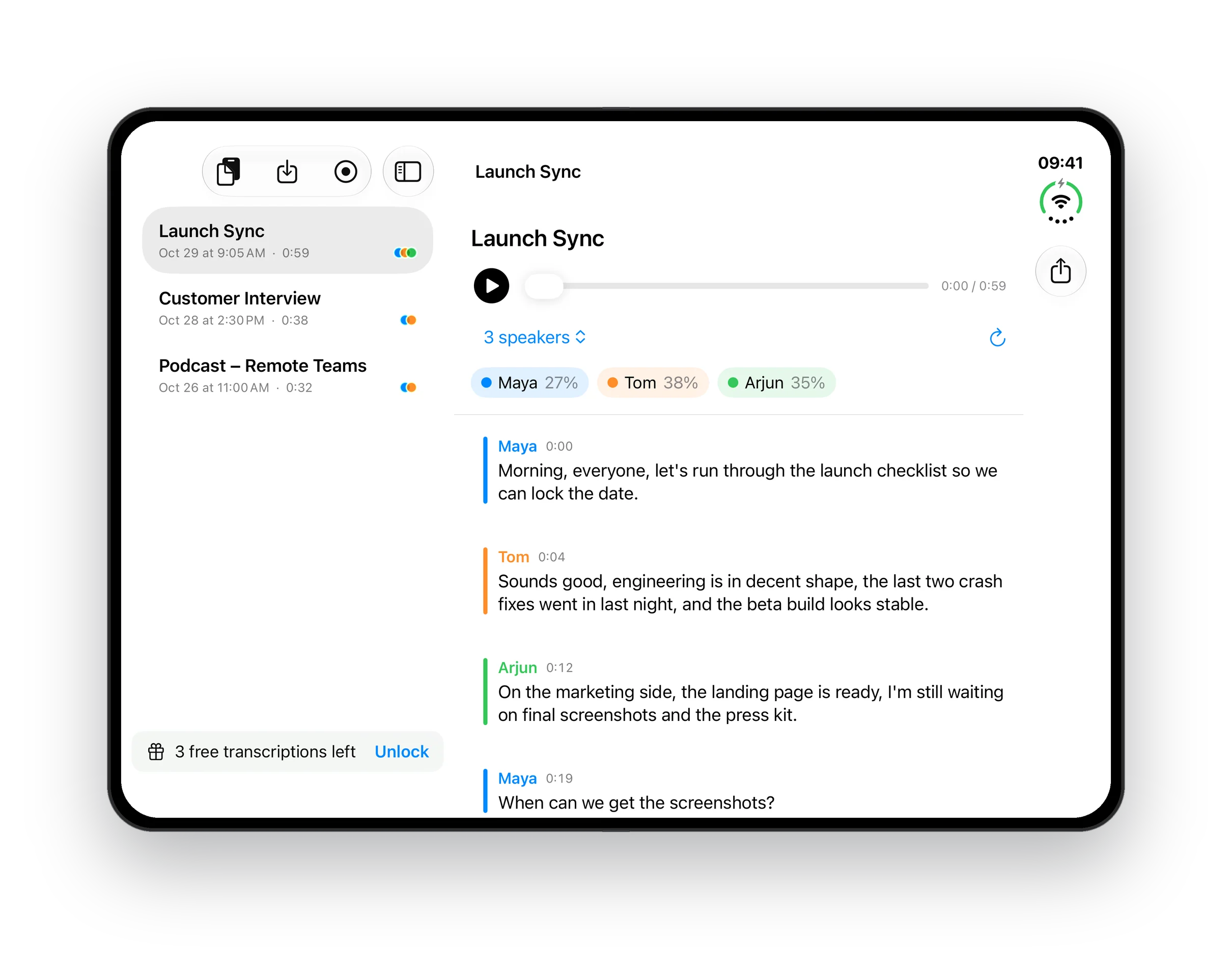
Open your iPhone Duo and your recordings sit beside the transcript.
Open
Why I built it
A transcript is hard to use if you can't tell who said what. I wanted one split by voice, without sending my recordings anywhere.
Nils
It downloads its speech models once, about 650 MB. After that it works offline.
Set the number of speakers in the speaker menu. The transcript re-sorts instantly.
When you name a speaker, MultiVoice saves a voiceprint for that name on your device. In later recordings it suggests the name with a question mark until you confirm it. You can see and delete saved voices under Known Voices.
Share it from Voice Memos or Files and pick MultiVoice. The app opens with the recording.
Copy the recording in Notes, then paste it into MultiVoice. On Mac you can also drag audio onto the window.
Choose Mac audio, or Mac audio and mic. macOS asks for permission to record system audio once.
No. Transcription, saved voices and search all stay on your device.
Your first 3 transcriptions. Then MultiVoice Unlimited is a one-time purchase for iPhone, iPad and Mac.
iOS 18 or later on iPhone and iPad, macOS 15 or later on Mac.
Transcripts split by speaker.
More apps from Headwind Lab
 TriCoachScience-backed triathlon training
 SwimStructuredStructured workouts from raw text
 FuelPerfectCarb and hydration planner
 LiveHeatCore temperature on your wrist
 TrueWattERG mode from your power meter
 WindWaterSailTides, currents and wind
 Bike Path Flood TrackerSausalito to Mill Valley path
 SymboCalcSymbolic calculator
 Sidekick DisplayYour iPhone Duo as a second screen for Mac and Windows
 JamShared whiteboard for ideas
 AgentSchedulerKeeps your agents going while you're away